In a world where creativity knows no bounds, the AR drawing app emerges as the magical wand every aspiring artist needs. Imagine bringing your doodles to life, transforming a simple sketch into an interactive masterpiece that dances across your screen. It’s like having a personal art studio in your pocket, minus the messy paint splatters and questionable coffee stains.
Overview of AR Drawing Apps
AR drawing apps enhance artistic expression by blending the physical world with digital creativity. These applications allow users to create art in augmented reality, providing interactive experiences that engage audiences. Artists can use smartphones or tablets to manipulate their designs, bringing sketches to life in fascinating ways.
Numerous features make AR drawing apps appealing. Users benefit from tools like three-dimensional drawing capabilities, various brushes, and customizable colors. Many apps incorporate collaboration features, enabling multiple users to work together in real-time, regardless of their physical location.
Several popular AR drawing apps are available on the market today. Apps like Adobe Fresco, SketchAR, and Ibis Paint X stand out due to their user-friendly interfaces and extensive toolsets. These platforms offer tutorials and resources, making them suitable for beginners and experienced artists alike.
Integration of AR technology provides unique possibilities for enhancement. For example, turning static images into animated creations engages audiences more deeply. Additionally, some apps include social sharing options, allowing artists to showcase their work within a community.
Accessibility plays a crucial role in the appeal of AR drawing apps. Many of these applications are compatible with various devices, ensuring a broad user base. This accessibility opens the door to a diverse range of artistic expressions, encouraging creative exploration and innovation in art.
Features of AR Drawing Apps
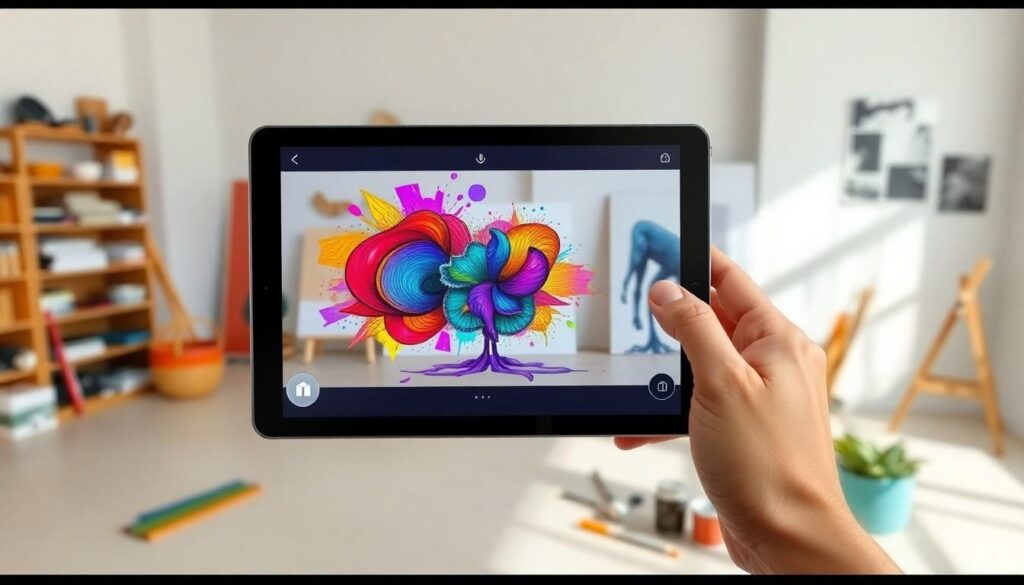
AR drawing apps offer innovative tools that revolutionize artistic expression. They provide a blend of technology and creativity, enabling users to explore new dimensions in art.
User Interface
User interfaces of AR drawing apps are designed for ease of use. Intuitive layouts allow artists to navigate tools effortlessly. Icons are well-organized, promoting quick access to essential features. Minimalistic designs ensure that users focus on their creations without distractions. Dashboards adapt to the user’s workflow, enhancing productivity. Tutorials often accompany interfaces, helping users master functionalities efficiently. Overall, a seamless experience encourages creativity and exploration.
Tools and Customization
Tools in AR drawing apps accommodate a wide range of artistic styles. Various brush types, such as watercolor, pencil, and marker, cater to diverse preferences. Customization options allow adjustments in size, opacity, and texture, giving artists flexibility. Color palettes often include a spectrum of hues, enabling unique color combinations. Layering features facilitate the construction of complex artwork by separating different elements. Furthermore, many apps enable importing images and textures, expanding an artist’s toolkit significantly.
Popular AR Drawing Apps
Numerous AR drawing apps enhance the artistic experience by providing unique features tailored for creativity. Two standout options include Adobe Fresco and SketchAR, each with distinct benefits.
App 1: Features and Benefits
Adobe Fresco excels in offering a vast selection of brushes and customizable colors. Users enjoy the live brushes feature, which simulates real paint behavior, creating a dynamic experience. This app facilitates blending and layering, allowing artists to achieve intricate details. Multiple file formats ensure compatibility with various devices, enhancing accessibility. Collaboration becomes effortless, with real-time sharing options that enable seamless teamwork. Users of all skill levels appreciate its intuitive interface, fostering creativity without distractions.
App 2: Features and Benefits
SketchAR stands out for its innovative approach to blending augmented reality and drawing. This app transforms users’ environments into canvases, guiding them in creating intricate artworks. Features include step-by-step tutorials, making it ideal for beginners eager to learn. Users can easily adjust the AR overlay for precise drawing. The integrated social sharing functionality promotes community engagement, allowing artists to showcase their work. Multiple device support ensures a broader reach, inviting more individuals to explore their creativity.
Pros and Cons of Using AR Drawing Apps
AR drawing apps offer several advantages. Convenience stands out, as users can create art anywhere without carrying traditional supplies. The interactive features elevate user experiences, engaging audiences in creative projects. Collaboration becomes effortless, enabling multiple users to work on a piece in real time. Enhanced features like three-dimensional drawing, diverse brushes, and customizable colors appeal to a wide range of artists.
On the downside, some AR drawing apps may require robust devices for optimal performance. Users with older technology might experience lag or limited functionality. Additionally, a learning curve exists for new users, even though many apps provide tutorials. Subscription fees for premium features can be costly, especially for casual creators. App compatibility can also vary, restricting access for some platforms.
Awareness of these pros and cons aids in making informed choices about AR drawing apps. Artists can weigh convenience and interactive possibilities against potential issues related to technology and cost. Understanding the landscape ensures that users select the best tools for their creative needs.
AR drawing apps are revolutionizing the way artists create and share their work. With features that enhance creativity and collaboration these tools break down barriers for both beginners and seasoned artists. The ability to blend the physical and digital worlds opens up exciting possibilities for artistic expression.
As technology continues to evolve so will the capabilities of these applications. Artists can expect even more innovative features that cater to their creative needs. Embracing AR drawing apps not only fosters individual creativity but also builds a vibrant community where art thrives. The future of art is undoubtedly intertwined with augmented reality, making it an exciting time for creators everywhere.