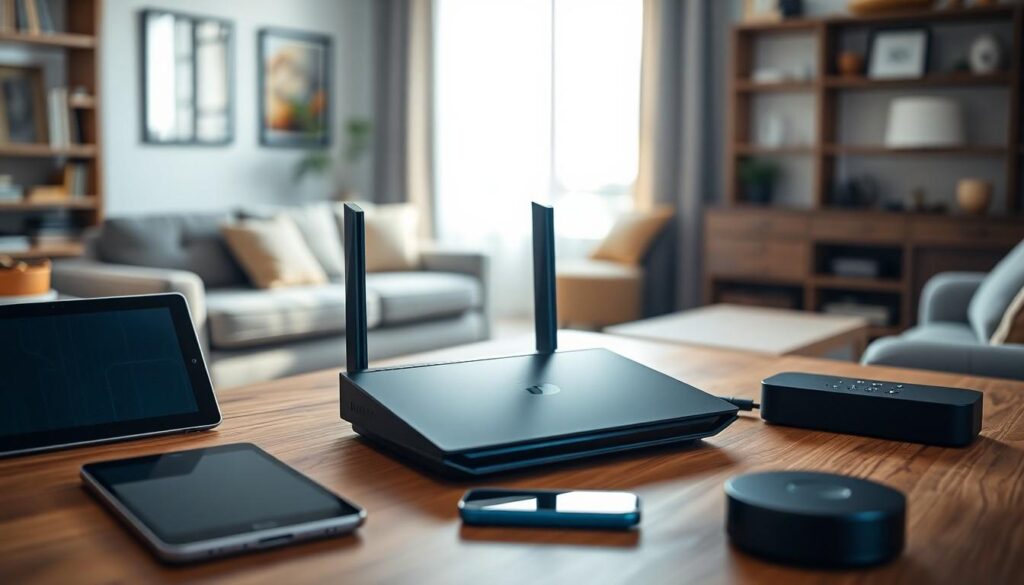
In today’s tech-driven world, a reliable home network is as essential as coffee on a Monday morning. Enter the unsung hero of the digital age: the home networking router. This little device quietly works behind the scenes, ensuring that streaming, gaming, and video calls happen without a hitch. Think of it as the traffic cop of your internet connection, directing data like a pro while you binge-watch your favorite series.
But not all routers are created equal. Some are as reliable as a goldfish in a desert, while others deliver lightning-fast speeds and robust security. With so many options out there, choosing the right router can feel like finding a needle in a haystack. Fear not! This guide will help demystify the world of home networking routers, making sure you get the best connection without losing your sanity—or your Wi-Fi.
Overview of Home Networking Routers
Home networking routers connect multiple devices to the internet seamlessly. These devices serve as the central hub for home networks, facilitating communication between computers, smartphones, tablets, and smart home gadgets. Understanding router specifications helps users find optimal choices for their needs.
Routers vary significantly in speed, range, and features. High-performance models like mesh systems offer extended coverage, making them ideal for larger homes. Many users prioritize security features such as firewalls and encryption to safeguard personal data from cyber threats.
Performance metrics like Wi-Fi standards, measured in Mbps, provide insights into speed. For instance, Wi-Fi 6 technology supports faster data transfer rates, accommodating more devices simultaneously without lag. Dual-band and tri-band options enable better connection management by distributing device loads efficiently.
Installation varies across router types. Some routers require minimal setup, allowing users to connect swiftly. Interfaces also differ, with many featuring user-friendly dashboards for easy customization of settings.
Additional features such as parental controls, Quality of Service (QoS), and guest networks enhance the user experience. These options ensure adequate bandwidth allocation, limit content access for minors, and allow temporary internet access for visitors.
Selecting the right router involves considering the home’s size, the number of connected devices, and internet usage patterns. Performance reports from reliable sources offer valuable insights to aid decision-making, ensuring users choose the best router for their specific environment.
Types of Home Networking Routers

Home networking routers come in various types to accommodate different needs and preferences. Understanding the distinctions ensures optimal performance for specific use cases.
Wireless Routers
Wireless routers provide convenient internet access without physical connections. They transmit data via radio waves, allowing multiple devices to connect simultaneously. Wi-Fi standards, such as 802.11ac or Wi-Fi 6, dictate speed and efficiency. Wireless range can vary based on router models, with some designed to cover large areas effectively. Advanced features like dual-band or tri-band capabilities optimize bandwidth by reducing interference. Mesh systems offer seamless connectivity across expansive homes by using multiple nodes. Parents often appreciate guest network features that allow visitors to access Wi-Fi without compromising security. Overall, wireless routers suit homes where mobility and flexibility are priorities.
Wired Routers
Wired routers utilize Ethernet cables to connect devices directly. This method often leads to more stable connections and faster speeds, making them ideal for high-demand activities such as gaming or streaming. Performance tends to be more consistent compared to wireless alternatives, which can be affected by physical obstructions or interference. Devices connected through wired routers experience reduced latency, facilitating smooth online experiences. Furthermore, these routers usually come equipped with multiple LAN ports for connecting several devices at once. Users seeking enhanced security benefits can rely on wired connections, as they offer less vulnerability to external threats. Wired routers cater to environments where reliability and speed are critical.
Key Features to Consider
Selecting the right home networking router involves understanding essential features that impact performance, security, and connectivity. These features shape overall user experience and ensure a robust internet connection.
Speed and Performance
Speed directly impacts online activities. Routers with Wi-Fi 6 technology deliver greater data transfer rates, reaching up to 9.6 Gbps under optimal conditions. Performance metrics such as Mbps help clarify routers’ capabilities. Consider dual-band or tri-band options that manage multiple devices effectively, balancing bandwidth across the network. High-performance routers accommodate more devices simultaneously, which is crucial for homes with heavy internet usage, such as streaming and gaming.
Security Features
Security is critical when choosing a router. Look for models equipped with modern encryption protocols, such as WPA3, which significantly enhance data protection. Built-in firewalls help safeguard home networks from external threats. Some routers offer additional security features like automatic firmware updates and advanced malware protection. These features help ensure personal data remains secure while browsing, streaming, or gaming online. Prioritizing security helps prevent unauthorized access and protects sensitive information.
Range and Coverage
Range affects how well devices connect throughout a home. Extended coverage ensures strong signals reach every corner of the house. Mesh systems excel in this area, providing seamless connectivity across larger areas by using multiple units to eliminate dead zones. Traditional routers may suffice for smaller spaces, but consider options with high-gain antennas for broader coverage. Evaluating range requirements is crucial, especially in multi-story homes where signal strength can diminish significantly. Investing in suitable range capabilities enhances the overall network experience.
Popular Home Networking Routers
Different routers cater to varying needs and budgets. Selecting the right one ensures optimal performance and connectivity.
Budget Options
Affordable routers can still provide reliable connectivity. Models like the TP-Link Archer A7 deliver speeds up to 1,750 Mbps and cover moderate-sized spaces well. The NETGEAR R6230 is another option, offering dual-band support and robust parental controls. Users often appreciate the combination of performance and price found in these budget-friendly options. Reviewing user feedback can guide consumers toward the right selection within this category.
High-End Options
High-end routers are designed for demanding users. The ASUS RT-AX88U supports Wi-Fi 6 with data transfer rates reaching 6,000 Mbps. Enhanced features like advanced security and extensive range make this model ideal for homes with multiple devices. The NETGEAR Nighthawk AX12 is another impressive choice, featuring tri-band capabilities and exceptional speed for gaming and streaming experiences. Investing in these routers can lead to improved performance and satisfaction for heavy internet users.
Choosing the right home networking router is crucial for ensuring a seamless online experience. With various options available it’s essential to assess individual needs based on home size and internet usage. Prioritizing speed security and range will lead to better performance whether for streaming gaming or everyday browsing. By understanding the features and specifications of different routers readers can make informed decisions that enhance their connectivity. Investing in a quality router not only improves internet performance but also safeguards personal data in an increasingly digital world.